How to Create Stunning Mockups for Your Canva Invitations
Let's be honest: you've poured your heart into designing a beautiful wedding invitation, a charming baby shower card, or a stylish birthday party invite. The colors are perfect, the typography sings, and the layout is clean. But when it comes time to present that design—whether on your portfolio, your Etsy shop, or your social media feed—how do you make it truly shine? Simply posting a flat image on a white background often fails to capture the tactile, real-world appeal of a printed card. This is where the magic of a professional mockup comes in, transforming your digital file into a compelling visual story that clients and guests can instantly connect with.
Beyond the Flat Image: Why Mockups Matter for Your Designs
A mockup does more than just display your work; it provides context. It helps your audience visualize the final product in a setting that evokes emotion and purpose. Imagine seeing your elegant calligraphy wedding invitation not as a standalone PDF, but as a beautifully styled flat lay on a linen tablecloth with a sprig of eucalyptus and a wax seal. Suddenly, it's not just a design—it's a promise of the event's atmosphere. This contextual presentation is crucial for designers, stationers, and small business owners. It builds perceived value, strengthens your brand identity, and significantly increases engagement. For those selling printable art or digital invitations online, a stunning mockup can be the deciding factor between a scroll-past and a click-to-purchase.
The challenge, however, has traditionally been the barrier to creating these mockups. High-quality templates often required advanced software like Photoshop and a steep learning curve. But what if you could achieve that same polished, professional look directly within the tool you already use and love for your designs?
Seamless Presentation: Your Canva Invitation Mockup Toolkit
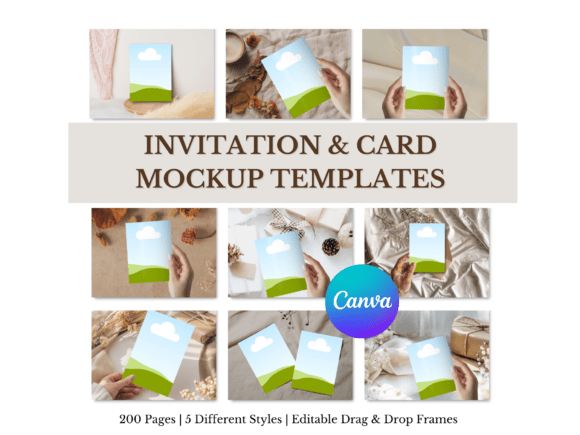
For anyone creating with Canva, the solution is beautifully simple. A dedicated Invitation & Card Mockup Templates for Canva bundle is a game-changer for your workflow. This isn't just a single template; it's a comprehensive toolkit designed to present your designs beautifully. The core of this bundle is its sheer volume and variety—200 editable mockup pages. These are organized into five distinct, styled scenes, each offering a different mood and aesthetic. You might find a rustic wooden table scene perfect for a barn wedding, a sleek marble surface ideal for a modern gala, or a playful, colorful setting for a child's birthday party.
The true power lies in its simplicity. These are not static images. Each mockup page features easy drag-and-drop frames. You simply open the template in Canva, locate the smart object or designated frame, and upload your invitation design. The template automatically applies realistic perspective, shadows, and lighting to your artwork, making it look like a physical card resting in the scene. Adjustments are intuitive—scale, rotate, or move your design within the frame until it's perfect. Then, export your final image in minutes. There's no need to learn complex software or pay for a Photoshop subscription. This functionality works seamlessly with both Free and Pro Canva accounts, making professional-grade presentation accessible to everyone.
From Wedding Vows to Business Wows: Practical Applications
The versatility of a robust mockup bundle extends far beyond personal stationery. For creative professionals, it becomes an indispensable design asset across multiple projects.
- Portfolio & Client Presentations: Elevate your design portfolio by showcasing your invitation work in realistic settings. When pitching to a client, presenting their wedding suite in a styled mockup helps them envision the final product far more effectively than a digital proof alone. It demonstrates your attention to detail and commitment to a professional presentation.
- E-commerce & Online Sales: If you sell digital invitations or printable art on platforms like Etsy or your own website, high-quality mockups are non-negotiable. They increase the perceived value of your digital products, leading to higher conversion rates. A well-mocked-up birthday card instantly tells shoppers what they're getting and how it might look printed and displayed.
- Social Media & Marketing: Content creators and marketers can use these scenes to promote events, workshops, or product launches. Announcing a webinar with a beautifully styled "invitation" on Instagram creates more intrigue than a standard graphic. It adds a layer of sophistication and brand recognition to your social media graphics.
- Brand Collateral: For small businesses, the templates can be adapted to present other brand elements. Think of showcasing a loyalty card, a gift certificate, a thank-you note, or even a business card in a lifestyle setting. This reinforces visual consistency across all customer touchpoints.
This approach is perfect for wedding invitations, greeting cards, baby shower invites, birthday cards, and printable artwork, but its application is limited only by your imagination. The consistent, high-quality output helps build a recognizable style for your brand, whether you're a solo designer or a growing stationery business.
Choosing the Right Scene for Your Brand's Story
With five different styled scenes and 200 pages to choose from, the key is to match the mockup to your design's personality and your project's goal. Not every scene will be right for every invitation. This is where your understanding of brand identity and visual communication comes into play.
Consider the aesthetic of your invitation design itself. A minimalist, sans-serif modern typography layout would pair beautifully with a clean, contemporary scene—perhaps a simple desk with a plant or a sleek coffee table. Conversely, a romantic script font on a floral invitation would be perfectly complemented by a soft, natural scene with fabrics, flowers, and gentle lighting. For a playful, cartoonish kids' party invite, look for a scene with bright colors, confetti, or party props.
Think about the emotion you want to evoke. A formal black-tie event demands a scene that feels luxurious and elegant. A casual backyard barbecue calls for something relaxed and rustic. By carefully selecting the scene, you're not just showing a card; you're selling an experience. This thoughtful pairing strengthens the overall message and makes your presentation more visually appealing and memorable. The bundle provides the variety; your creative eye provides the curation.
Streamlining Your Creative Workflow
One of the biggest advantages of using a pre-made mockup bundle in Canva is the incredible efficiency it brings to your process. Time spent wrestling with complicated software is time taken away from creating new designs or marketing your business. The drag-and-drop functionality is intuitive, even for those who don't consider themselves tech-savvy.
This efficiency allows for rapid iteration. You can quickly generate multiple presentation options for a client, showing them how their invitation looks in different contexts. You can A/B test different mockup scenes for your online shop to see which one drives more sales. For bloggers and content creators, it means you can produce a consistent stream of high-quality, styled images for your posts without dedicating hours to each one. The ability to go from a finished Canva design to a portfolio-ready, marketing-ready image in just a few clicks is a powerful advantage in a fast-paced creative landscape.
Ultimately, the goal of any design is to communicate effectively and beautifully. A Canva Invitation mockup bundle bridges the gap between your digital creation and its real-world impact. It empowers you to present your work with the confidence and polish it deserves, helping you attract clients, sell more products, and build a brand that stands out for its quality and professionalism. By investing in the right tools for presentation, you ensure that your creative vision is seen, appreciated, and understood exactly as you intended.